Publishing on Trisgine Play
Your team
Invite people to your company or group, answer join requests, and choose who is an admin.
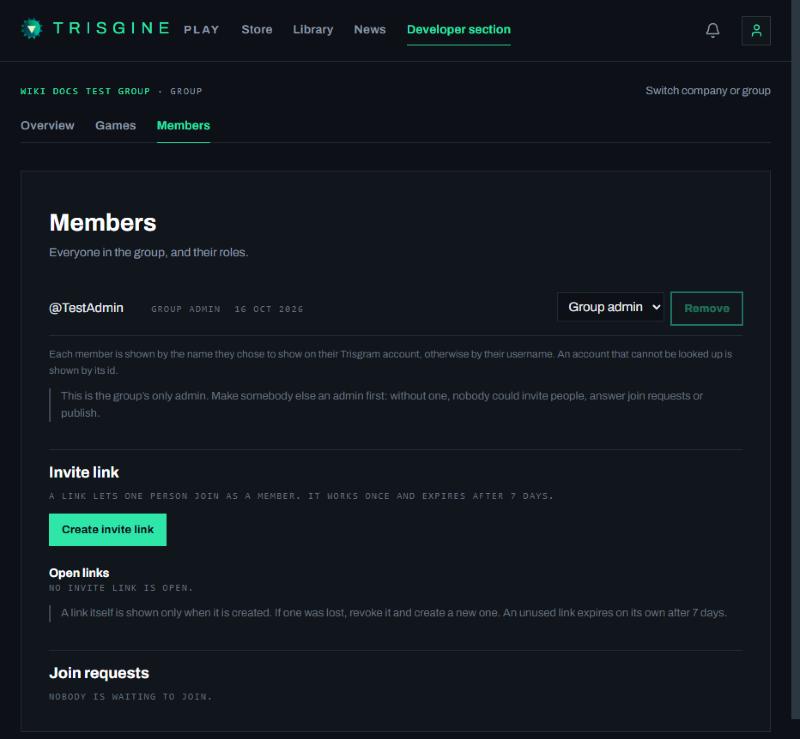
Open your company or group in the Developer section, then Members.
Roles
| Role | Can |
|---|---|
| Member | see the team, its games and their private channel links, and Open in editor to work on a game |
| Admin (Group admin / Company admin) | create, edit and publish games, upload builds, edit store pages and company settings, invite people, answer join requests, change roles |
An admin changes someone's role with the drop-down next to their name.
Members are shown by the display name on their Trisgram account, otherwise by their username. Removing someone from a team is done by Trisgram; ask if you need it.
Invite someone
- Click Create invite link.
- Copy the link and send it to the person. It lets one person join, as a member, works once, and expires after 7 days.
The person opens the link while signed in and clicks Join the company. A link that no longer works says so: it may have expired, been revoked or been used already. Create a new one.
The link itself is shown only when it is created. If you lose it, revoke it under Open links and create a new one.
Join requests
Requests to join your team appear under Join requests, where an admin accepts or rejects them.