The editor runs in your browser · WebGPU
Make games in a browser tab.
By hand, or with AI.
Trisgine is a data-oriented game engine whose full editor runs at editor.trisgine.com. This wiki shows you how to use it, and how to hand the mouse to an AI agent.
Learn the editor
Panels, gizmos, materials, Pixel Art, tilemaps and visual scripts: a tour of every button in the browser editor.
Your first five minutes →TutorialBuild a 2D RPG
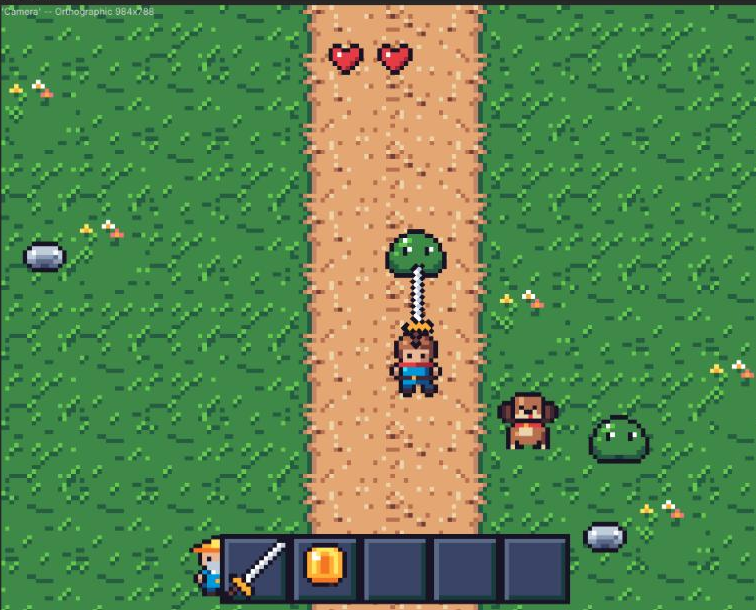
Meadow Quest: paint pixel-art sprites, a tilemap meadow, an NPC, slimes to fight, hearts and an inventory. Web editor only, by clicking.
Start the tutorial →With AILet an agent build it
The editor exposes window.tgDebug, and its scenes and scripts are plain text. Agents can create, wire, play-test and fix.
Working with AI →For AI agents
The editor is an API
Every editor page carries window.tgDebug. Load scenes, create entities, write and
compile visual scripts, paint pixels, press Play and read back positions, all as JSON.
Combine it with plain-text scenes and scripts, and a browser agent can build and verify a
game without touching the mouse.
// in the editor tab
tgDebug.scriptEditorCreate('Coin');
tgDebug.scriptEditorCommit(coinText);
tgDebug.scriptEditorCompile();
// → { ok: true, refusalCount: 0 }
tgDebug.simPlay();
tgInput.key('w', true);
tgDebug.entity('Gate').position;
// → { x: 0, y: 4.6, z: 6 }   the gate opened
Tutorial
Meadow Quest
A top-down pixel-art RPG: a title screen and chiptune music, a farmer who gives you a sword, slimes to fight, three hearts, an inventory bar, a locked gate and a treasure chest. Every step is clicked in the web editor and play-tested. Prefer 3D? Try The Village Gate.